
☀️ Lawn care in summer · One year-round business app
Run your outdoor service business from estimate to tax time
Manage customers, schedules, field work, estimates, invoices, expenses, and tax-ready accounting exports — built mobile-first for crews who work from the truck.
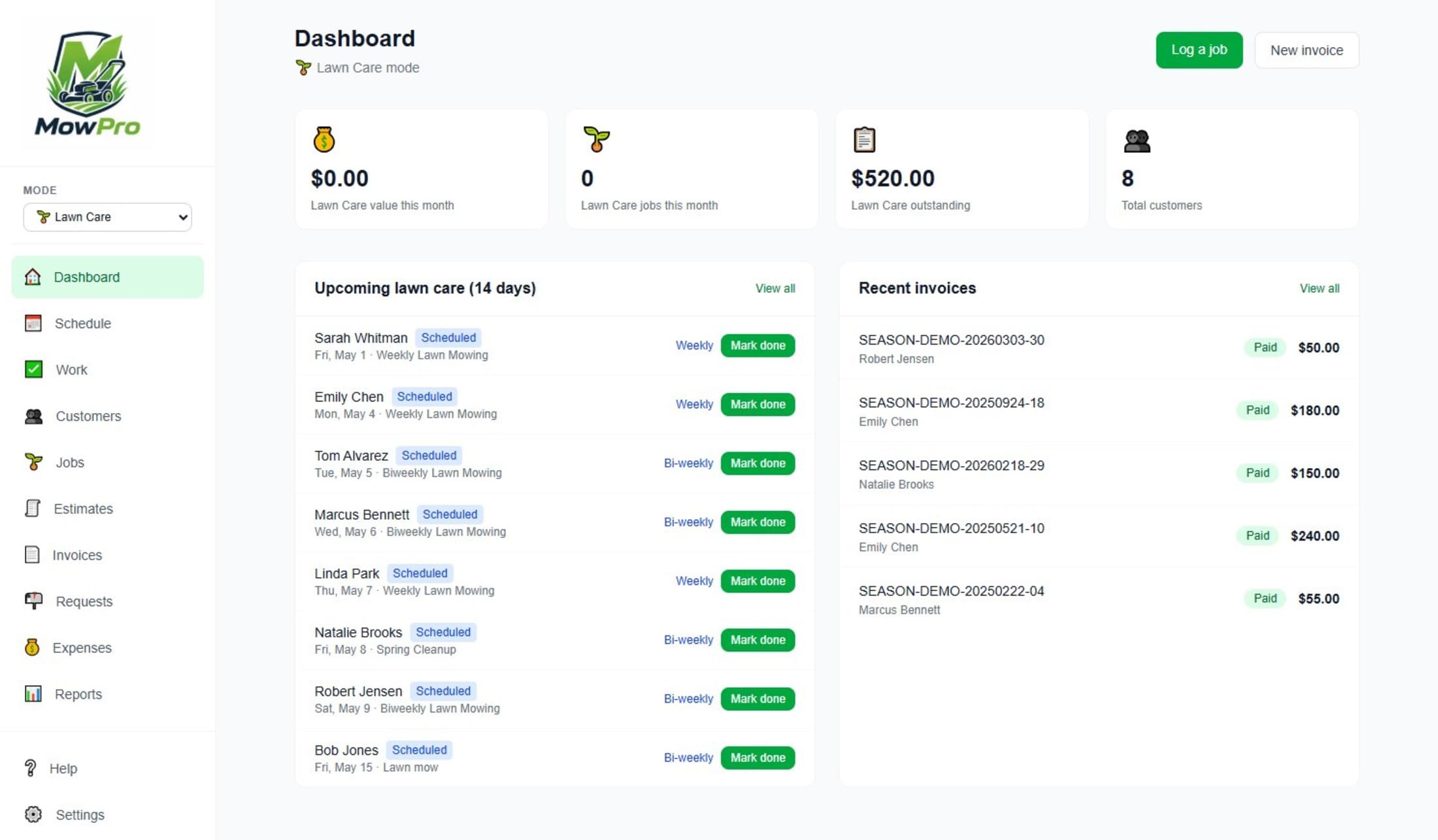
One app for lawn season and snow season.
Switch between lawn care mode and snow removal mode. Same customers, same invoices, shared reports.
Built for lawn care operators
Run recurring mowing routes, track one-off jobs, and get paid without chasing paperwork.
Everything a small outdoor service business needs
Built around the daily workflows that actually move a small outdoor service business forward.
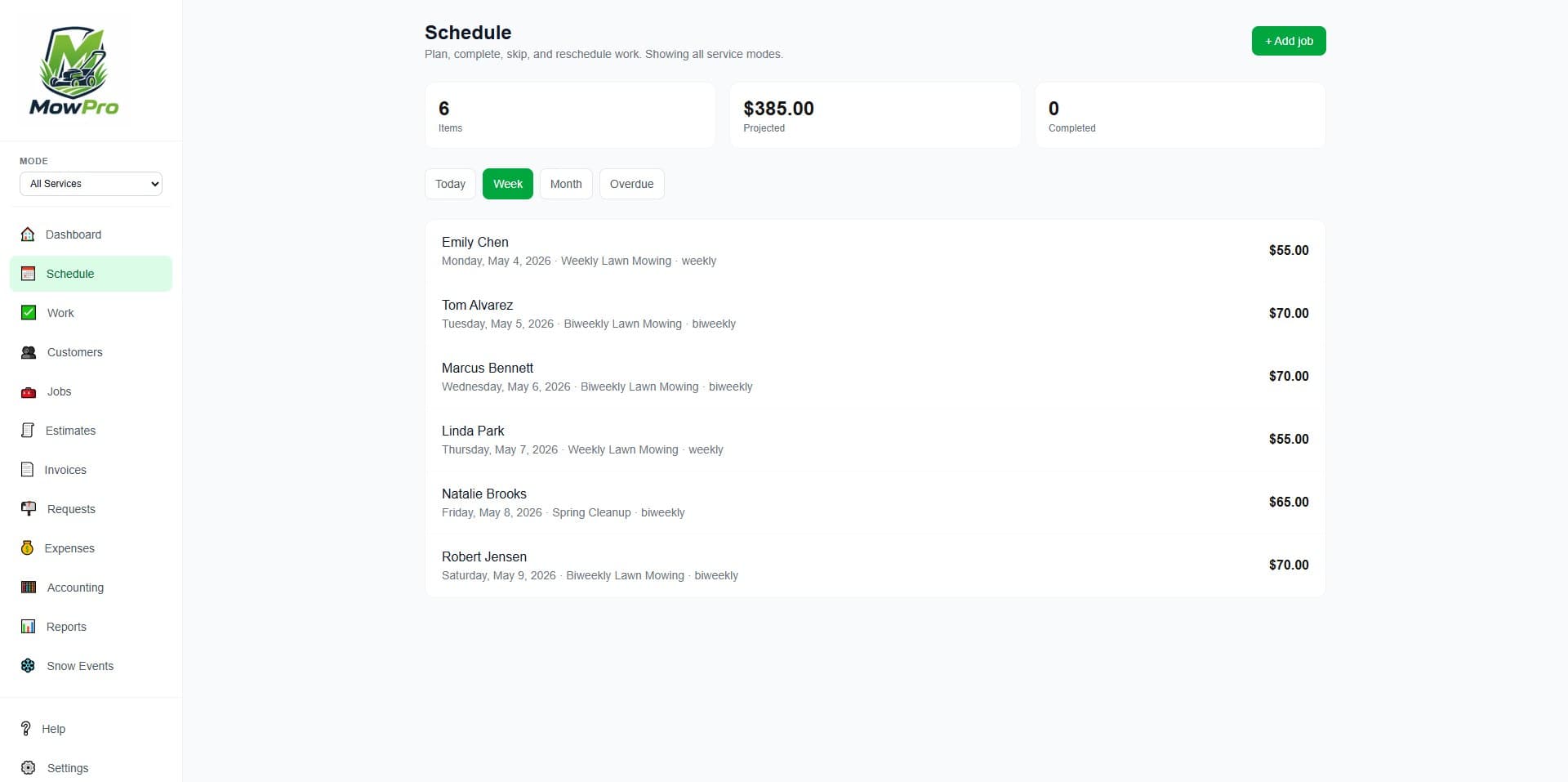
Calendar & scheduling
Plan today, this week, or this month. See upcoming, overdue, and completed work at a glance.
Field job tracking
Start, complete, skip, add notes, and follow up while the job details are still fresh.
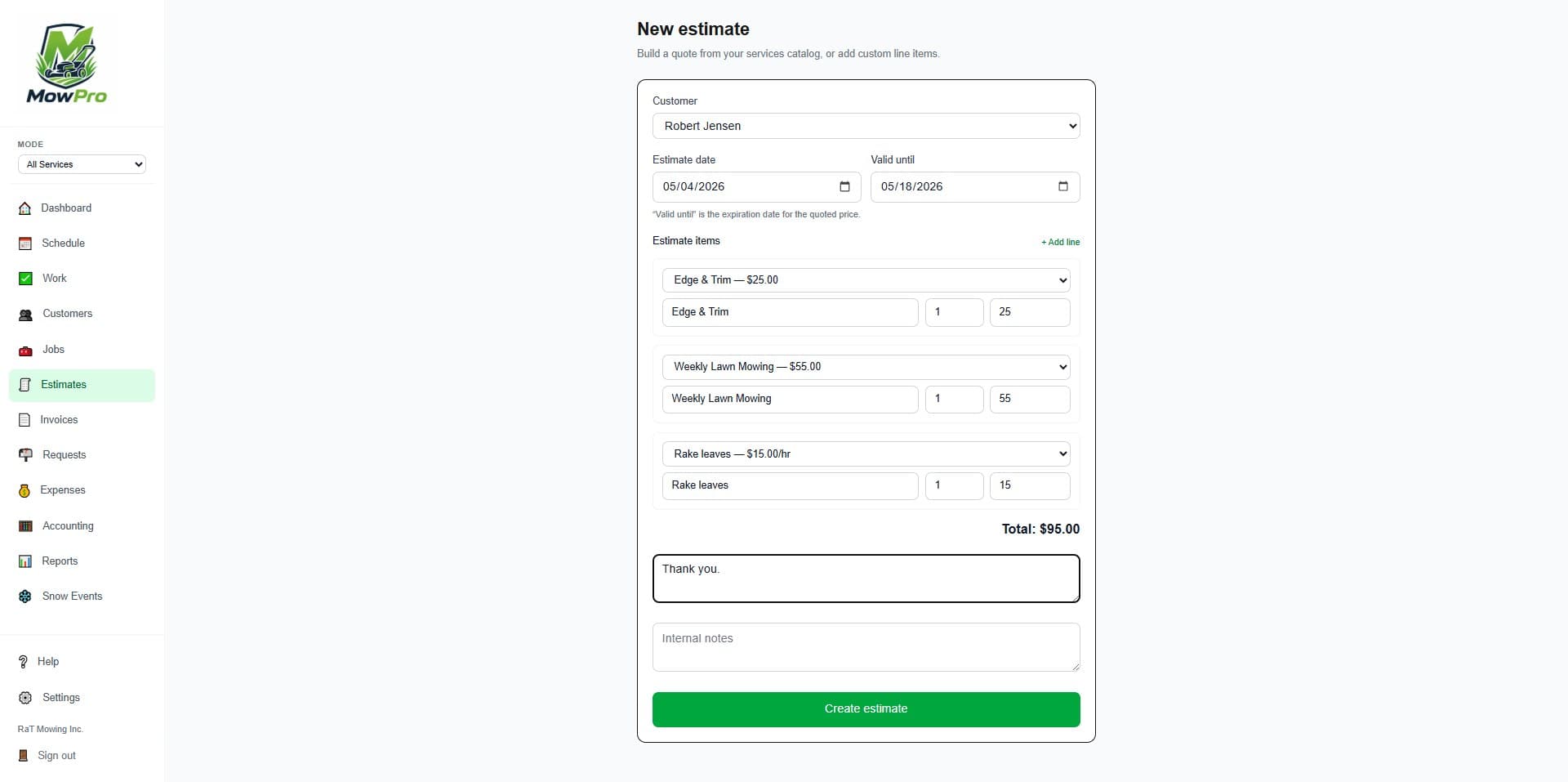
Estimates → invoices
Build quotes from saved services, convert them to jobs, then invoice completed work cleanly.
Payment instructions
Add Venmo, Zelle, check details, QR codes, and manual payment notes to invoices.
Customer portal
Customers can view invoices and request service, so less work gets buried in text threads.
Serious reporting
Compare periods, export CSV/PDF, and track revenue, expenses, receivables, and profitability.
Expense tracking
Tag expenses as lawn, snow, or shared overhead for clearer per-season numbers.
Accounting exports
Download CPA tax summaries, revenue detail, expense detail, and QuickBooks-ready CSV files.
Fast job completion
Start a job, complete it, create the invoice, and move to the next stop in under 30 seconds.
From estimate to payment in minutes
Built for operators who need their business out of the group text.
MowPro started with a simple frustration: outdoor service operators were running real businesses out of a notebook and a group text, then rebuilding the books at tax time.
Richard Ashcraft, RaT Studios
Tax season should not start with a pile of receipts and invoice screenshots. MowPro keeps your books organized all year so handing off to a CPA takes minutes, not a weekend.
This is the feature that makes MowPro feel like a real business system instead of another scheduling app. It turns paid invoices, lawn/snow revenue, expenses, open receivables, and uninvoiced work into clean accounting exports. Owners can hand their CPA real records — not spreadsheet confetti.
MowPro organizes your records for export — it isn't tax advice. Always review exports with your CPA. See the Terms of Service.
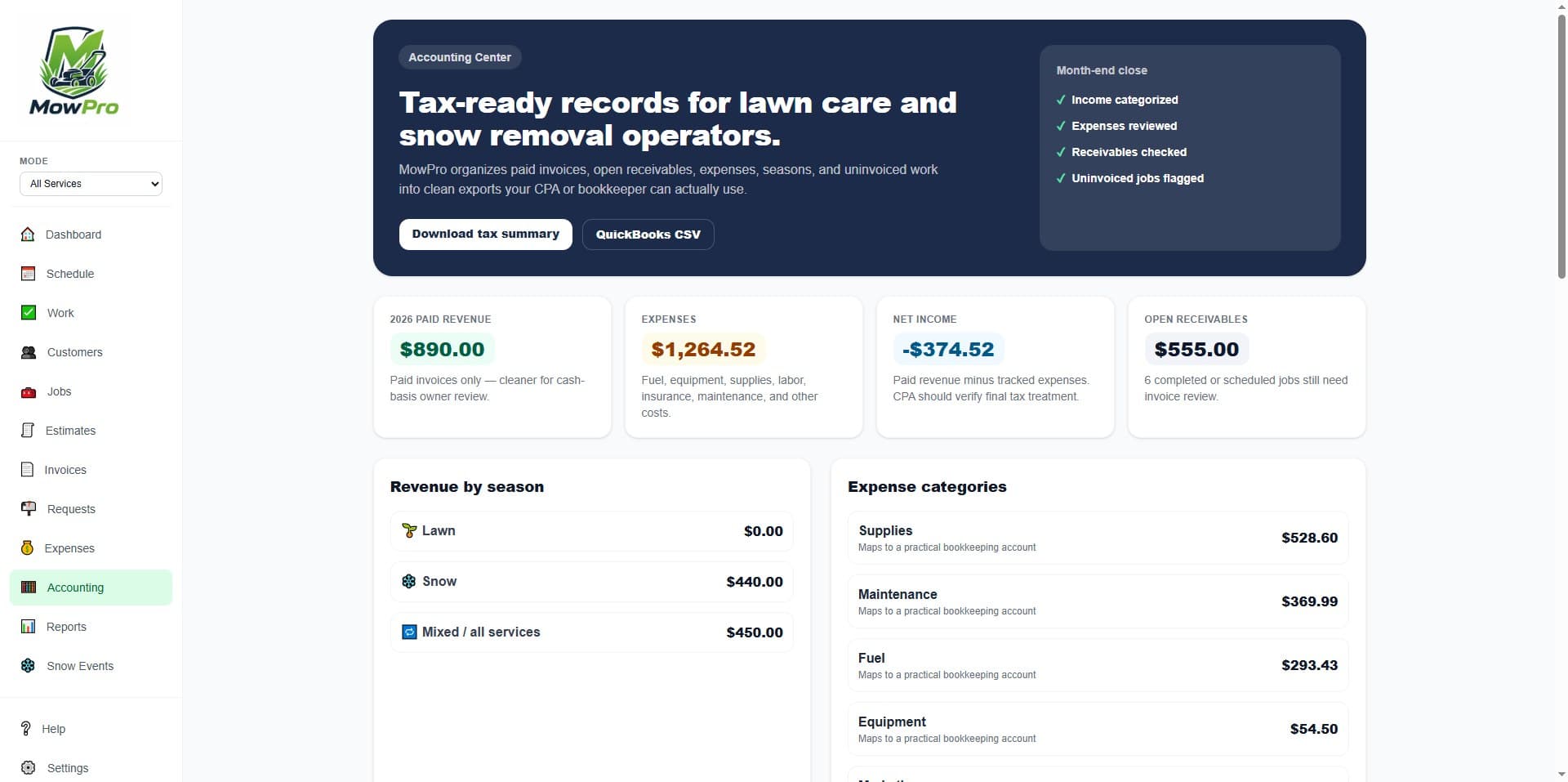
No QuickBooks sync required. Export reviewable files first — the safer bookkeeping workflow for growing operators.
MowPro was built for operators who were tired of managing a real business out of a notebook and a group text. We kept it simple on purpose.
Priced for operators who are still growing — not enterprise software for a two-truck business.
Start free. Upgrade when MowPro is making your business easier to run. Paid plans are not capped by customer count because growth should not be punished.
Free
Get organized for free. Run a small operation or try MowPro end-to-end before you upgrade.
- 15 customers
- 25 active jobs/month
- Estimates and invoices
- Basic scheduling
- Starter tax summary export
Plan boundaries
- • No bulk invoicing
- • No advanced reports
- • No team users
Solo
For one-person lawn and snow operators ready to get organized.
- Unlimited customers
- Unlimited jobs
- Recurring jobs
- Estimates, invoices, and payment tracking
- Accounting Center with CPA exports
Plan boundaries
- • No extra crew users
- • No advanced automation
Pro
For serious solo operators and small crews.
- Everything in Solo
- Up to 3 team/crew users
- Snow events and service requests
- Advanced reports and customization
- QuickBooks import CSV exports
Plan boundaries
- • No direct QuickBooks OAuth sync
Crew
For operators with multiple people, crews, or trucks.
- Everything in Pro
- Up to 10 team users
- Multi-crew scheduling
- Priority accounting/export support
Plan boundaries
- • Still priced far below big field-service suites
Useful billing upgrades are planned, not claimed as live.
The app already ships the core job, invoice, reporting, and export workflows. These items stay here until they are built and verified.
The accounting feature your competitors don't have
Most lawn apps help you schedule work. MowPro helps you explain your year to your CPA.
Why small operators choose MowPro instead of bloated field-service software
Jobber and Housecall Pro are strong general tools, but they’re priced and built for broader home-service companies. MowPro is focused on lawn care, snow removal, and small outdoor crews.
| Feature | MowPro | Jobber | Housecall Pro | Yardbook | LawnPro |
|---|---|---|---|---|---|
| Free tier for beginners | Yes | Trial only | Trial only | Yes | Yes |
| Low paid starting price | $19/mo | $49/mo+ | $79/mo+ | $34.99/mo+ | $39/mo+ |
| Built specifically for lawn care | Yes | General service | General service | Yes | Yes |
| Snow removal mode | Yes | Workaround | Workaround | Yes | Some support |
| Lawn + snow in one account | Yes | Possible | Possible | Possible | Possible |
| CPA tax package exports | Yes | Reports/export | Reports/export | Basic reports | Reports/export |
| QuickBooks import CSV | Yes | QBO-focused | QBO-focused | Limited | Export/import |
| Monthly close checklist | Yes | No clear dedicated flow | No clear dedicated flow | No clear dedicated flow | No clear dedicated flow |
| Unlimited customers on paid plans | Yes | Plan-dependent | Plan-dependent | No clear cap | Yes |
| Small-crew pricing without big-suite bloat | Yes | Gets expensive fast | Gets expensive fast | Yes | Middle/high tiers climb |
Our wedge
MowPro wins by being lawn/snow-specific, simple on mobile, and priced for operators who are still growing.
Our pricing stance
A permanent Free plan first, then paid plans based on operational complexity — not punishing customers for adding more customers.
Our accounting advantage
MowPro keeps lawn income, snow income, expenses, receivables, and uninvoiced work clean enough to hand to a CPA.
Competitor pricing and positioning are based on public information reviewed in 2026 and may change. “Workaround” means the platform may support the workflow through generic jobs, tags, custom fields, or manual setup rather than a dedicated MowPro-style mode.
Frequently asked questions
Can I export my data if I leave?
Yes. You can export your customer list, invoice history, and accounting records at any time. Your data is yours.
Is the Free plan really free?
Yes. The Free plan is permanent within its limits — no credit card, no trial clock. Upgrade when you outgrow it.
Is there a contract or minimum commitment?
No contracts. Cancel any time. Monthly plans stop at the end of your billing period.
How long does setup take?
Most operators are up and running in under 30 minutes. Import your customer list via CSV or add customers manually as you go.
What happens during my off-season?
Seasonal pause billing is on the roadmap. For now, you can keep using Free within its limits or cancel a paid plan before renewal.
Does MowPro work on iPhone and Android?
Yes. MowPro is a mobile-first web app that works on any smartphone browser — no app store download required.
Ready to get organized this season?
Create your free account in under 2 minutes. No credit card required.
Create your free account